


Plant Parent: Plant Care Guide
4.52.26K Reviews
App Specs
- Version
- 1.110
- Updated On
- License
- Free
- Downloads
- 10,000,000+
- Developer
- Glority Global Group Ltd.
- Categories
- Lifestyle
- Platform
- Android, iOS
Screenshots
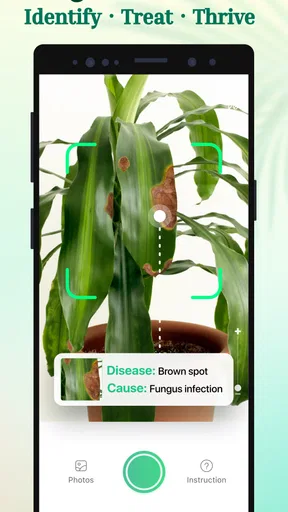
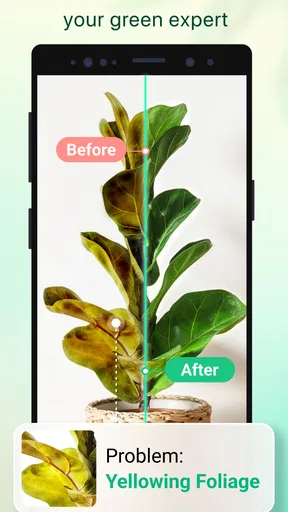
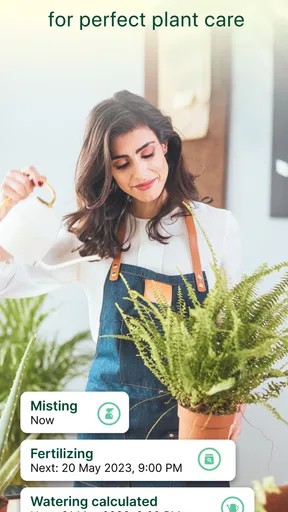
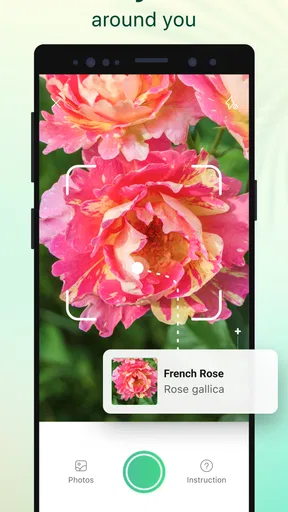
 Analysis by AppCompare
Ever found yourself staring at your drooping monstera, wondering if it’s crying out for water or just having a bad leaf day? Well, you're not alone, and that's where the Plant Parent: Plant Care Guide swoops in to save the day. I’ve been using this app for a while now, and let me tell you, it’s like having a green-thumbed buddy in your pocket.
When plant care needs to fit real life
The most useful way to approach a care app is as a reminder system, not an automatic diagnosis. I’d use Plant Parent to keep track of the routine tasks that are easy to forget when several pots need attention, then check the plant itself before acting. A notification can prompt me to inspect the soil; it shouldn’t overrule what I see or the conditions in my home. That distinction matters because watering needs change with light, temperature, pot size, and season.
For a realistic example, imagine coming home after a busy week to a dry-looking pothos and a reminder for another plant. Rather than watering both on autopilot, I’d use the reminder as a cue to check each pot separately. If the soil is still damp, I’d hold off and adjust the next task instead of treating the schedule as a command. That small habit helps avoid the common mistake of confusing a useful prompt with a guarantee that a plant needs water right now.
This makes the app most appealing to people who are learning a small collection, or who have enough plants that remembering each routine has become a chore. It can also help someone who wants to build a consistent care habit without keeping notes in a notebook. If you already know your plants well and enjoy maintaining your own calendar, the app may feel like another layer rather than a meaningful improvement. For rare or valuable plants, I’d treat its guidance as a starting point and check specialist advice when a problem is complex.
Getting Started with Plant Parent
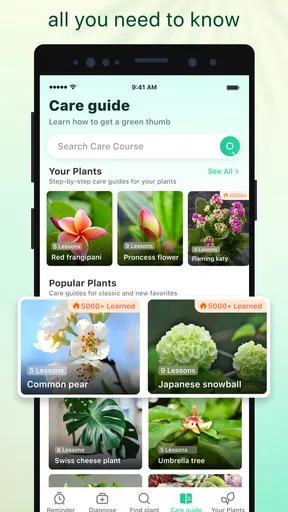
First things first, setting up the app is a breeze. When you launch it, you’re greeted with a clean, user-friendly interface that doesn’t overwhelm you with options. It’s all about simplicity and effectiveness here. You start by adding your plants to the app’s virtual garden. The database is pretty extensive, so whether you have a basic cactus or an exotic fiddle-leaf fig, you’re covered.
Readability, navigation, and a useful routine
That uncluttered start is a real advantage for newcomers: adding plants to a digital garden gives the care routine a home instead of scattering it across memory, sticky notes, and generic calendar alerts. I’d enter plants as I bring them home, rather than trying to reconstruct a whole collection in one sitting. Starting with the few plants I’m most likely to forget makes the setup feel manageable and gives me time to see whether the reminders fit my habits.
There is a trade-off in any plant database. A close match is helpful, but a plant sold under a local or informal name may be harder to identify than a familiar houseplant. When the suggested entry seems uncertain, I’d compare its care guidance with the plant’s label and what I know about its growing conditions before building a routine around it. For a collection with unusual cultivars, I’d keep a separate note of the exact name and any advice from a trusted grower.
Worth Reading Before You Choose

Flipboard Shows What News Apps Must Do Beyond the Feed

Switching to Android Auto Means Rethinking Your Driving Routine

Google Calendar Makes a Crowded Week Easier to Manage

Ludo King Makes the Most of the Minutes Between Plans

Baby Panda World Brings Quick Play to Modern Phones, but Its Game Library Feels Busy

ESPN’s Live Game View Makes Following Close Games Easier
Plant Parent is a free lifestyle app from Glority Global Group Ltd., with optional in-app purchases ranging from $2.99 to $39.99 per item. I’d begin by seeing how much of my ordinary routine works without paying, then consider an upgrade only if a specific extra is useful to me. It has an Everyone age rating, so it is suitable for a broad audience, though younger users may still need an adult’s help making decisions about plant treatments or household products.
Features That Make You Feel Like a Pro
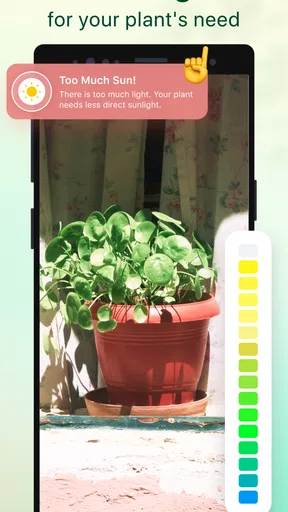
One of the standout features is the smart care reminders. The app calculates when your plants need watering, feeding, or repotting based on their specific needs. It’s like having a personal plant guru whispering in your ear. Plus, it gives you a heads-up about potential threats like pests or diseases, which is super handy if you’re a bit paranoid about plant health (guilty as charged!).
My practical tip is to avoid treating several reminders as a batch job. If three plants come due on the same day, that doesn’t mean they should all get the same amount of water or fertilizer. I’d use each alert to inspect one plant at a time, check the soil and leaves, and make a quick note of anything unusual. This turns the reminder into a repeatable inspection routine and can reveal a pattern, such as one plant drying out faster because it sits in a brighter spot.
The pest and disease prompts are most useful as an early nudge to look more closely, not as a reason to assume that every spot or curled leaf has a single obvious cause. I’d take a clear photo, examine the undersides of leaves, and compare changes over several days before choosing a treatment. That is especially important around pets, children, or shared living spaces, where spraying something in a hurry could create a different problem. When symptoms spread quickly or the plant matters a lot to me, a local nursery or knowledgeable grower may offer better context than a general guide.
Motor and sensory considerations
Plant care can be a hands-on activity, but the app’s value is mainly in organizing information and prompting follow-up. I find that easier to fit around physical limitations than a routine that depends on carrying every pot to a sink or remembering a long sequence of tasks. I can check one plant at a time, leave heavier pots in place, and ask someone else to handle lifting if needed. The app does not remove the physical demands of watering, pruning, or repotting, so the practical setup at home still matters.
For anyone who finds extended screen use tiring, I’d keep sessions focused: add a plant, review its next task, then close the app and do the care away from the phone. The short, task-based approach is also useful if reading dense material is difficult, while the articles can be explored separately when there’s time. A photo-based identification workflow may suit someone who finds plant names hard to remember, but it still relies on taking a usable picture and checking whether the result makes sense.
Learning and Growing
The app also doubles as a learning resource. There are tons of articles and tips on various plant care topics. Whether you’re trying to figure out how to propagate succulents or the best way to combat root rot, this app has got you covered. It’s like a mini plant care encyclopedia that’s always updating, so you’re always in the loop.
Compared with relying on a general web search, the advantage here is having plant care prompts and learning material alongside the plants you’re tracking. Search results can be more useful when I need a second opinion on a very specific symptom, but they often require sorting through advice that may not fit my exact plant or home. I’d use the in-app reading to learn the basics, then look for a specialist explanation if different sources disagree or the issue is serious. That combination is more dependable than expecting one app to settle every diagnosis.
It also helps to separate learning from urgent troubleshooting. Articles are a good fit for planning a propagation attempt or understanding why a plant may need a different routine; they are less useful as a substitute for examining roots, soil, and light when a plant is declining. I’d take one actionable point from a guide and test it carefully rather than changing several parts of the care routine at once. That makes it easier to tell which adjustment helped.
One thing I really appreciate is the community aspect. You can connect with other plant enthusiasts, share tips, and even swap plants. It’s a nice little feature that makes the whole plant parenting journey feel a bit less lonely.
Community advice can be especially handy for practical questions, such as how another grower handles a plant in a dim apartment or what they look for before repotting. But other people’s success stories are not universal instructions: their climate, windows, potting mix, and watering habits may be different from mine. I’d use shared tips to generate ideas, then adapt them to my own conditions rather than copying a routine just because it worked for someone else.
Situational access: home, travel, and shared care
The app is easiest to rely on when I can check it during a normal day at home. If I’m away, a reminder alone cannot water a plant, so someone caring for the collection would still need clear instructions about which pots need attention and what to check. I’d leave those instructions in plain language and avoid asking a helper to follow a calendar blindly; a quick soil check is more useful than watering everything on the same day.
For a shared household, a virtual garden can help make plant care visible, but it works best when everyone agrees on who handles each task. Otherwise, two people may respond to the same prompt, or each may assume the other has done it. A simple division—one person checks the app and reports what is due, while another handles a particular plant—can prevent duplicated effort. If several people need to update the same collection, I’d first make sure the way the app is being used suits that arrangement.
There is also a choice between using Plant Parent and a basic phone calendar. A calendar is simpler if I only need occasional watering reminders and already know what each plant needs. Plant Parent is more compelling when I want plant-specific tracking, identification, learning material, and a community in one place. The extra context is useful, but it also means more setup and another app to maintain; someone with only one hardy plant may be happier with a recurring calendar alert.
Remaining barriers and practical limits
Plant identification by photo is convenient, but a picture can be misleading when the plant is small, damaged, or photographed in poor light. I’d take a clear image that shows distinctive leaves and, where possible, the overall shape, then treat the result as a candidate rather than a certainty. If the identification would change how I care for the plant, I’d verify it against a label or another knowledgeable source before acting.
Relying on notifications also assumes that the phone is available and that alerts fit into the user’s routine. If reminders are easy to miss, I’d pair them with a weekly check of the virtual garden instead of expecting every alert to be noticed. People who prefer paper, use a shared device, or avoid frequent phone notifications may find a written care card near the plants more dependable. The app is a companion, not a replacement for a system that works in someone’s home.
The app was released on May 7, 2022, and its current version is 1.104, with support for Android 8.0 and later. It has a 4.5 average from around 103,000 ratings and over 10 million installs, alongside around 2,000 written reviews. Those figures suggest it has reached a broad audience, but they cannot tell me whether its approach suits my plants or how comfortably I’ll use it. I’d judge it by whether its reminders and guidance make my own routine clearer.
Learning and Growing
The app also doubles as a learning resource. There are tons of articles and tips on various plant care topics. Whether you’re trying to figure out how to propagate succulents or the best way to combat root rot, this app has got you covered. It’s like a mini plant care encyclopedia that’s always updating, so you’re always in the loop.
Is It Worth the Download?
So, what’s the verdict? Honestly, if you’re someone who loves plants but struggles with keeping them alive, or if you just want to up your plant game, the Plant Parent: Plant Care Guide is a solid companion. It’s like having a plant-wise friend who’s always there to help you out and make sure your plant babies are thriving.
Sure, there might be a few hiccups here and there, like occasional glitches or the odd plant not being in the database. But hey, nothing’s perfect, right? And the team seems pretty on it with updates and fixes.
Overall, I’d say give it a go. It’s a lovely little tool that makes plant care feel a lot less daunting and a lot more fun. Plus, who doesn’t want their home to be a lush, thriving jungle?
An inclusive verdict
For me, the strongest case for Plant Parent is its combination of plant-by-plant reminders, reference material, identification, and peer conversation. That mix can make a new grower feel less lost and help a busy owner keep several different routines straight. Its 4.5 average rating and more than 10 million installs show that many people have tried it, but the useful test is personal: do its prompts help you notice your plants without making care feel like another stream of obligations?
I’d recommend trying it if you want an organized starting point and are comfortable checking suggestions against what is happening in your home. I’d skip it if you prefer a very simple calendar, need highly tailored expert diagnosis, or find phone-based reminders distracting. The app can support different routines, but it cannot make every screen, notification, or physical task equally easy for everyone. Used flexibly, it can be a thoughtful helper; used as an unquestioned schedule, it can get in the way of observing the plants themselves.
Pros
- User-friendly interface for all levels.
- Comprehensive plant care tips included.
- Customizable reminders for watering.
- In-app plant identification feature.
- Extensive plant species database.
Cons
- Limited features in free version.
- Occasional app crashes reported.
- Requires internet for full functionality.
- Some plant data is outdated.
- Ads can be intrusive at times.
FAQs for Plant Parent: Plant Care Guide
What features does Plant Parent: Plant Care Guide offer?
Plant Parent: Plant Care Guide provides a comprehensive suite of tools to help you care for your plants. It includes features like a plant identification tool, personalized care schedules, reminders for watering and fertilizing, and a database with detailed care instructions for a wide variety of plants. It's designed to make plant care easy and accessible for everyone.
Is Plant Parent: Plant Care Guide suitable for beginners?
Yes, Plant Parent: Plant Care Guide is ideal for beginners. The app is user-friendly and offers step-by-step guidance on plant care. It simplifies tasks with reminders and provides easy-to-understand information about different plant species, making it a great starting point for those new to plant care.
Does the app require an internet connection to function?
While Plant Parent: Plant Care Guide offers offline functionality for most features, an internet connection is necessary for plant identification and accessing the latest updates to the plant database. This ensures you receive the most accurate and up-to-date plant care information.
Can I customize care schedules for multiple plants?
Absolutely! Plant Parent allows you to create and customize care schedules for each of your plants individually. You can set specific reminders for watering, fertilizing, and other care tasks based on each plant’s unique needs, making it easy to manage a diverse plant collection.
Is Plant Parent: Plant Care Guide available for free?
The app offers a free version that includes basic features, but there is also a premium subscription that unlocks additional tools and resources, such as advanced plant identification and personalized care advice. This option is ideal for users looking to enhance their plant care experience.


